.png)

We often say quality belongs to the whole team. The harder part is making it true in everyday work. QA Console is one way we’re trying to make that easier.
There is a phrase we often repeat in software development:
Quality is everyone’s responsibility.
In theory, it is difficult to disagree. Product teams are responsible for defining the right problem, developers for building reliable software, QA engineers for making risks visible, and operations teams for observing how systems behave in production. Quality does not appear at a single stage of development, and it should not belong to a single role.
But if only a few people know how to run the tests, if understanding the results requires digging through lengthy CI logs, and if turning a finding into a Jira issue involves constantly switching between tools, then quality is everyone’s responsibility on paper. In practice it stays with whoever knows the tooling.
Quality workflows rarely live in one place. Tests run in GitHub Actions, detailed case results in a test management platform, bugs in Jira, and monthly trends in a Notion table someone updated by hand. Each tool does its own job well. But a failed run only tells you that something failed. It does not tell you which suites, or whether the same failure was there last week, and finding that out means opening jobs, reading step logs, and comparing them with previous runs. So the problem was never only that the data sits in four places. The context needed to read it lives in a few people’s heads.
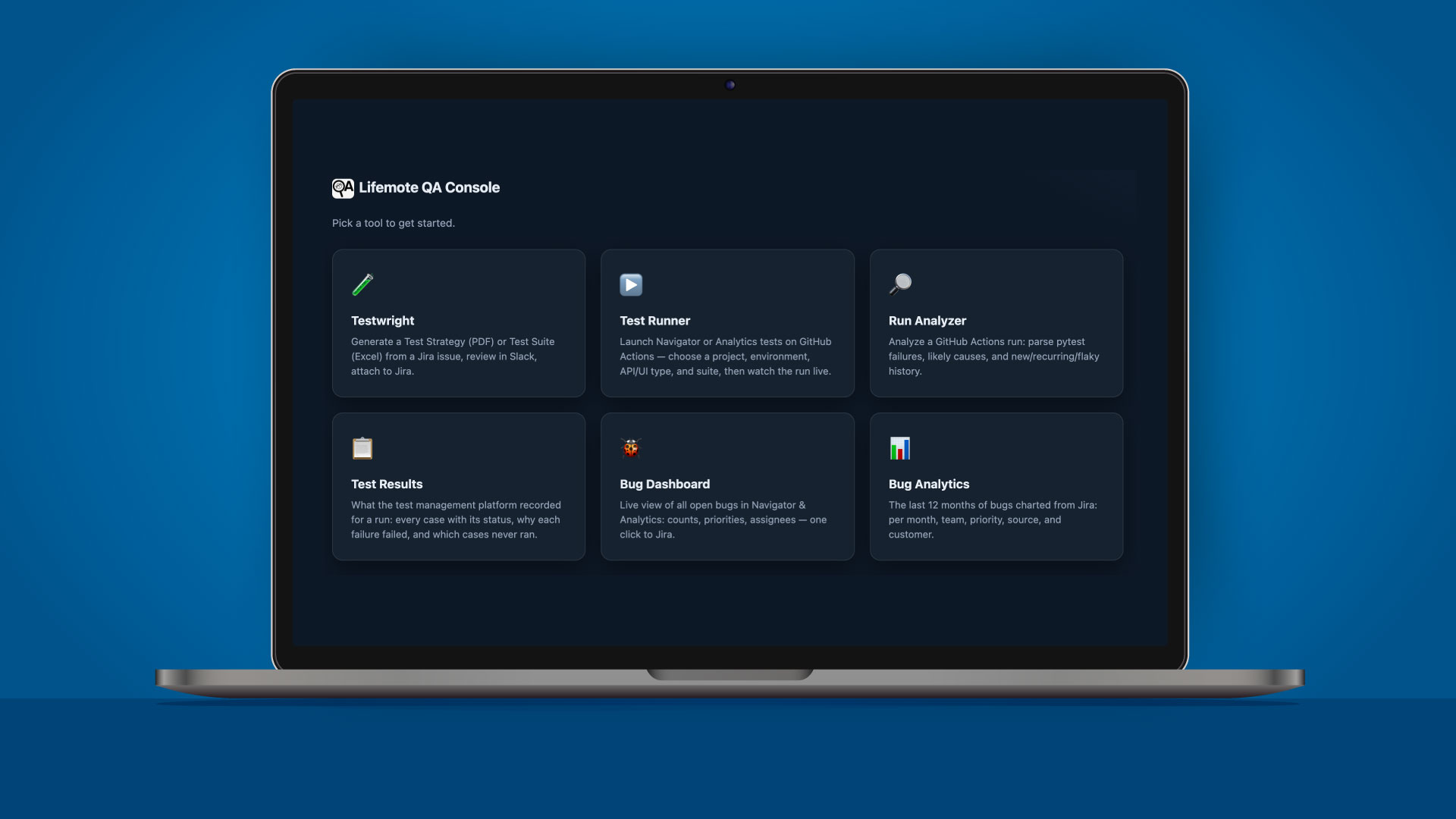
So we built one place to put that context. QA Console doesn’t create another system of record. It sits over the tools we already use and carries work across the seams between them: a Jira issue into a test strategy; a chosen suite into a running workflow; a completed run into a failure report; an automated test run into its case-by-case record; a confirmed failure into a Jira bug; that bug into a queue the whole team can see; and a year of bugs into charts that click back to the issues.
Test Runner
Pick a project, an environment, a test type and a suite, then press Run. The Console works out which repository holds the workflow and supplies the input names that repository expects. It only offers suites that exist for the project and test type you selected. Someone who has never opened a workflow file doesn’t need to learn the valid combinations first. Progress comes back job by job. Closing the tab doesn’t stop the run; Recent Runs can reconnect to it, and once it finishes it can be sent directly to Run Analyzer.
Run Analyzer
Open a finished run. Test Runner hands one straight over. The analyzer reads matching logs across the jobs and steps in a run, groups test failures, and surfaces possible causes. It can compare results with previous runs to help distinguish between new, recurring, fixed, or potentially flaky failures. Optional AI assistance can further support this investigation, not by making the decision on behalf of the user, but by narrowing down where to look. Once a genuine problem is confirmed, the finding can be turned into a Jira bug with its context intact.
Test Results
Every recent run is listed; open one and you see what the automation actually checked. Failures can be inspected first, followed by the complete case list. Status summaries, search, and filtering make it easier to understand passed, failed, blocked, and untested cases without navigating several layers of a test management system.
Bug Dashboard
Switch to a project and you get everything it still has open. The table is searchable and filterable, with priority and assignee. The dashboard provides a practical snapshot for triage and gives teams a shared place to see what is currently waiting for attention.
Bug Analytics
Twelve months are already drawn when you arrive. These are the charts that replaced a Notion table someone kept by hand. The cuts are by month, team, priority, source, and customer. Each chart remains connected to the underlying issues, allowing a high-level trend to lead directly to the records behind it.
Testwright
Type in a Jira issue number. Testwright generates a test strategy or test suite with AI and sends the draft to Slack for team review. Approval, feedback, and revision stay inside a human review loop before an approved document is attached to the issue. This keeps AI-assisted generation connected to collaborative review and preserves human judgment throughout the process.
What the tests found is no longer legible only to the person who started them. The rest of the team can see what happened and carry on from there without rebuilding the story out of logs and links.
Giving more people access to QA work does not turn them into QA engineers. Test strategy and risk assessment still depend on experience, and the difficult calls still need that judgment.
What changes is the routine around those decisions. A developer can start a test run without learning the workflow file first. A team lead looking at a bug trend can open the Jira issues behind it. The routine moved; the judgment stayed where it was.
That is the part we would keep if we started over. “Quality is everyone’s responsibility” was always true on paper, and repeating it does not make it any truer. It gets truer when the people who did not run the tests can still see what the tests found. That is not a matter of good intentions. It is a matter of what your tools let people see.
.svg)

.svg)

.svg)
.svg)

.svg)
.svg)
.svg)
.svg)




.svg)
.svg)


